P888Install notes
Installing Pussy888 safely: the Android prompts and the iPhone Trust step
Pussy888 is not in any app store. What each install prompt on Android means, how the iPhone Trust step works, and the checks to make before and after you install.
Pussy888 is not in Google Play or the App Store. Like 918Kiss and Mega888, it is side-loaded: you install it from a file or link that an agent sends you. This page used to carry those links. It does not any more, and this site does not host or link to any app files.
What it can do is walk you through the prompts you will see, explain what each one means for your phone, and list the checks worth making. For the lobby and games, see the Pussy888 platform page.
Where to get the app
Get the link only from the agent you already use, the one who issues your game ID. Don't take it from a search result, a Facebook comment or a site that lists every casino app behind one button. Fake builds are common, and a fake game app is an easy way to get malware onto a phone that you also use for banking.
If you do not have an agent yet, ask the provider we work with for a Pussy888 ID and install link, and read the rest of this page before you tap anything.
Android: step by step
The screenshots below come from an older Android phone with Chrome. Newer versions word things slightly differently, but the order is the same.
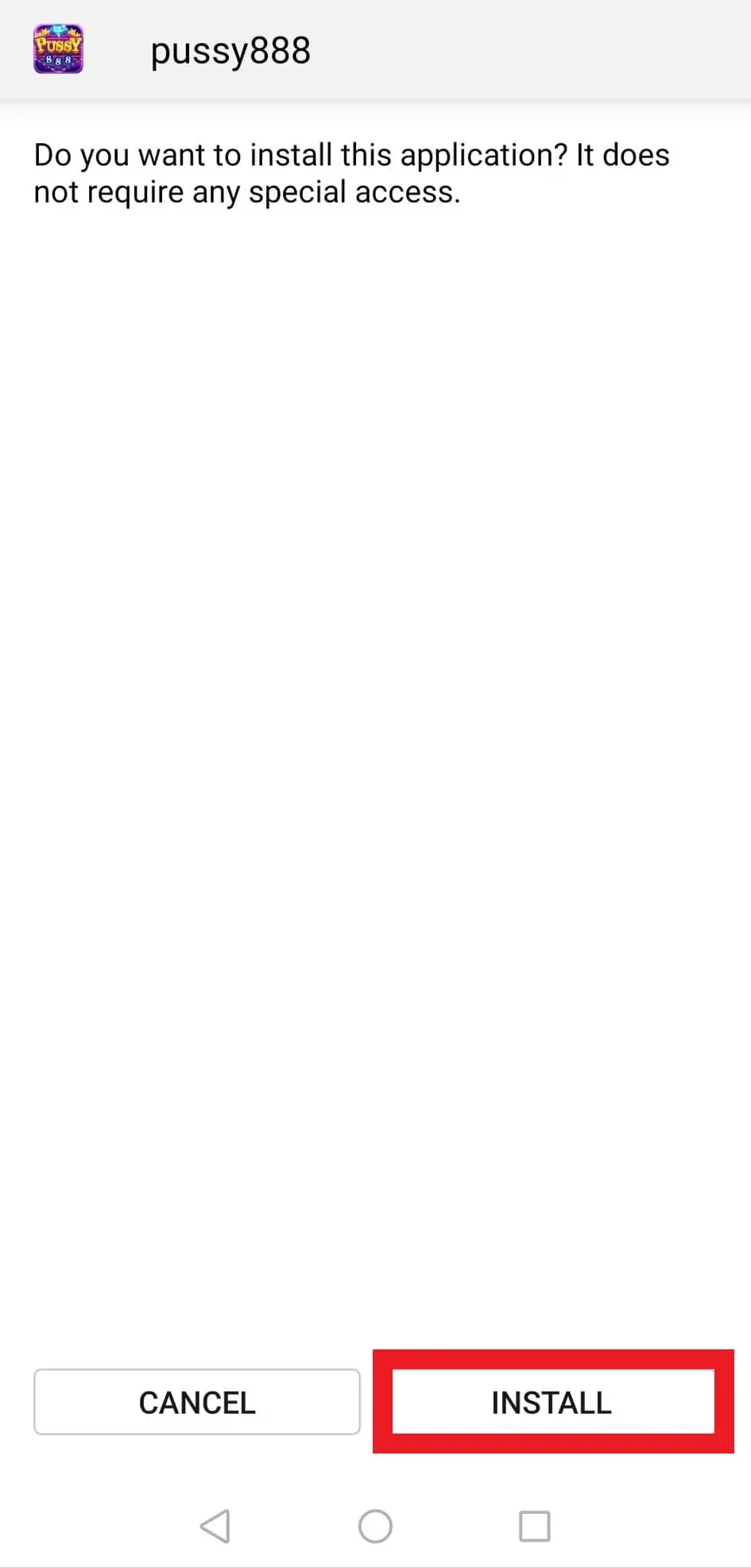
When the APK has downloaded and you open it, Android shows the app name and asks whether you want to install it. The version in this screenshot says it "does not require any special access". Read that line on your own phone: if a slot app asks for access to SMS, contacts, notifications or accessibility services, stop and delete the file. A game has no reason to read your messages, and accessibility access is a favourite tool of banking malware.
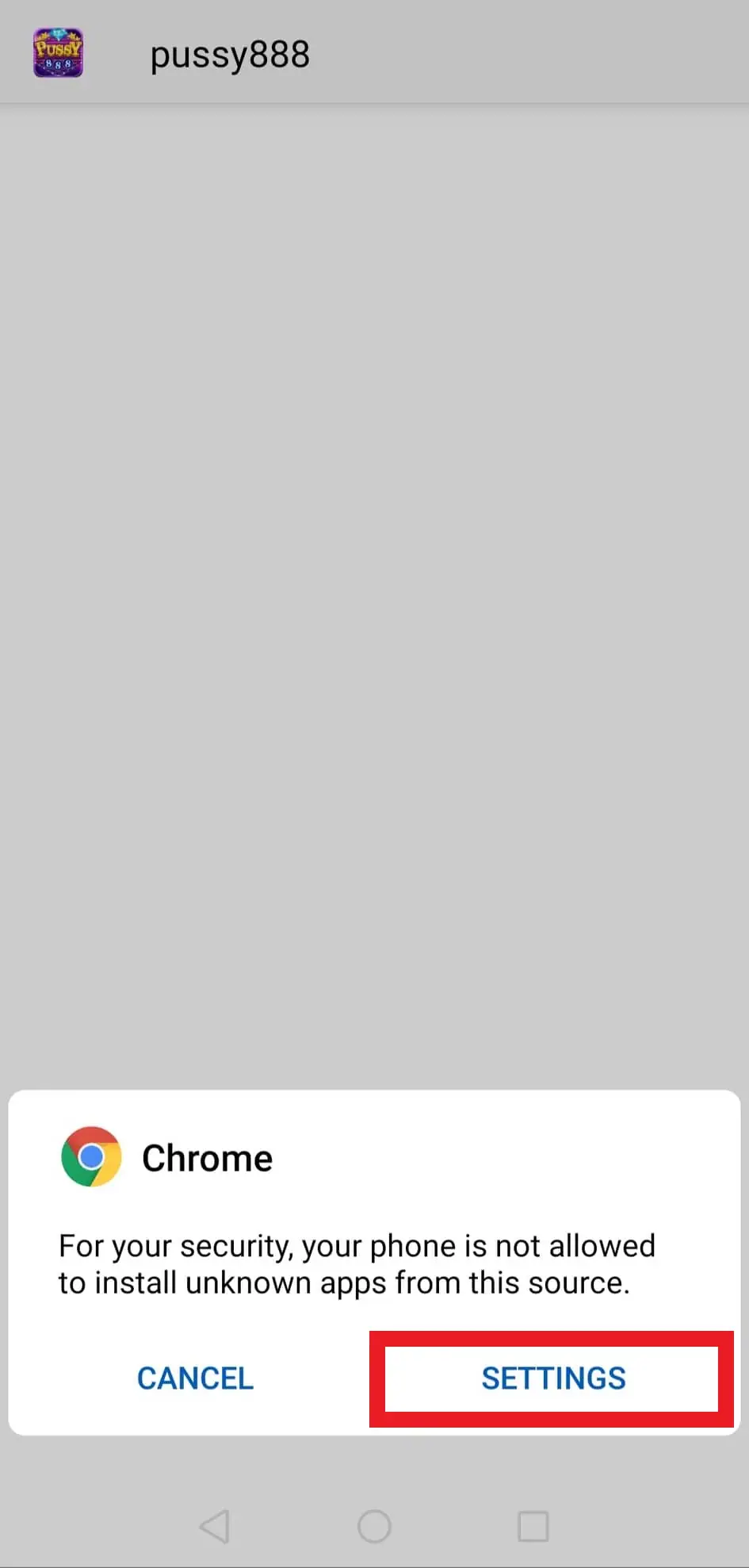
If the browser has never installed an app before, Android blocks it and says your phone "is not allowed to install unknown apps from this source". Tapping SETTINGS takes you to the permission screen.
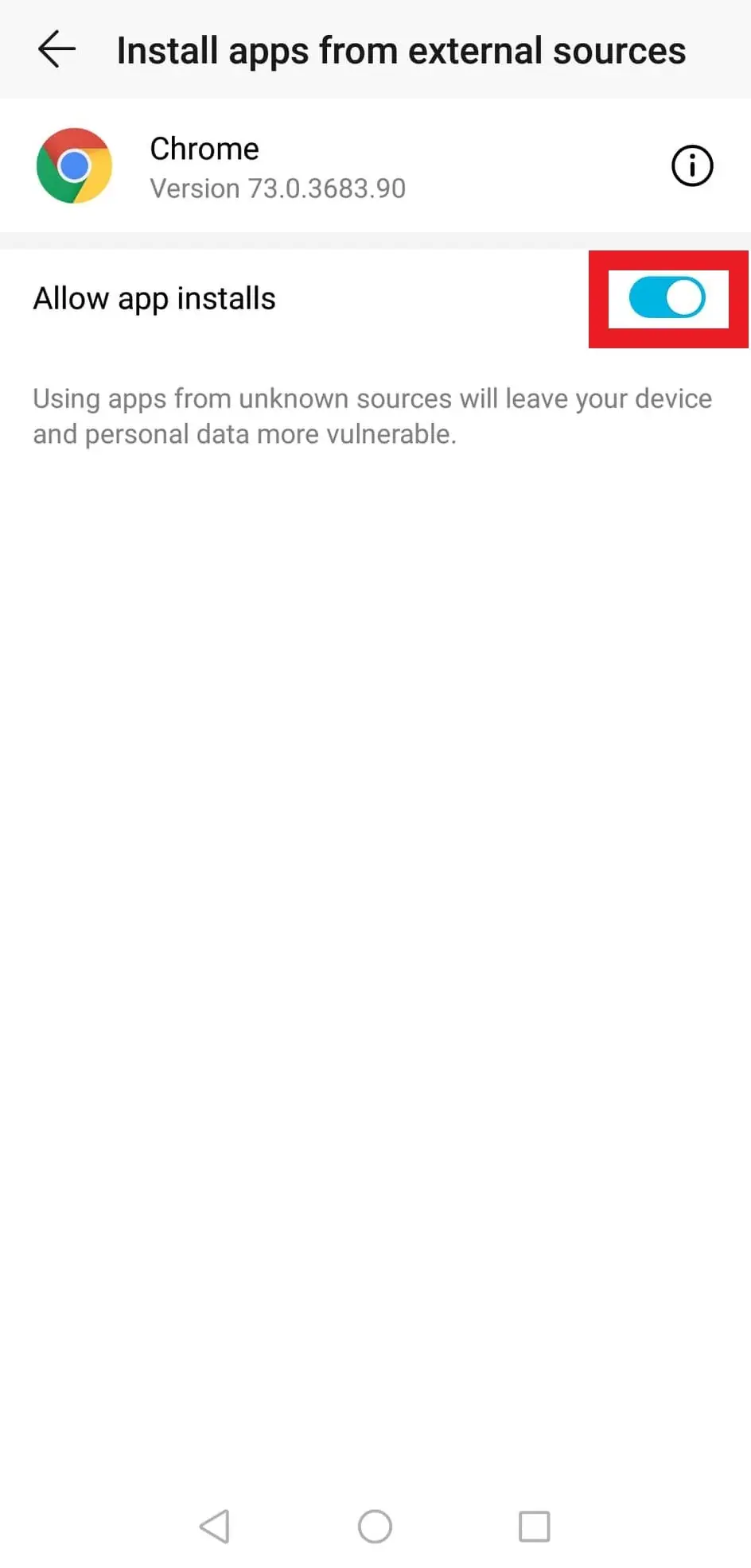
Here you switch on "Allow app installs" for Chrome (on newer phones: Settings, Apps, Special app access, Install unknown apps). Note the grey line underneath: apps from unknown sources leave your device and personal data more vulnerable. That is accurate. Go back, tap INSTALL, and once the app is on your phone, return to this screen and switch the permission off again.
Google Play Protect may also warn that the app is unrecognised. Read the warning; don't turn Play Protect off to make it go away.
iPhone and iPad: the Trust step
The iPhone build is signed with an enterprise certificate, which Apple issues to companies for their own internal apps. After installing, the first launch fails with an "Untrusted Enterprise Developer" message. To allow it:
- Open Settings, then General.
- Tap VPN & Device Management (on older iOS it is just Device Management).
- Under Enterprise App, tap the developer name shown.
- Tap Trust, then confirm.
The developer name there is a company name, and it changes whenever the build is re-signed. It tells you nothing about who runs Pussy888. Trusting it means you let an app run that Apple has not reviewed, so it is worth keeping to the apps you actually use.
When the app stops working
Apple revokes enterprise certificates that are used to hand apps to the public. When that happens the app will not open. Nothing is wrong with your phone. Delete the app, ask your agent for a new link, and install again. Your credit sits against your ID on the platform's server, not in the app, but take a screenshot of your balance while the app still works.
After installing: the login screen
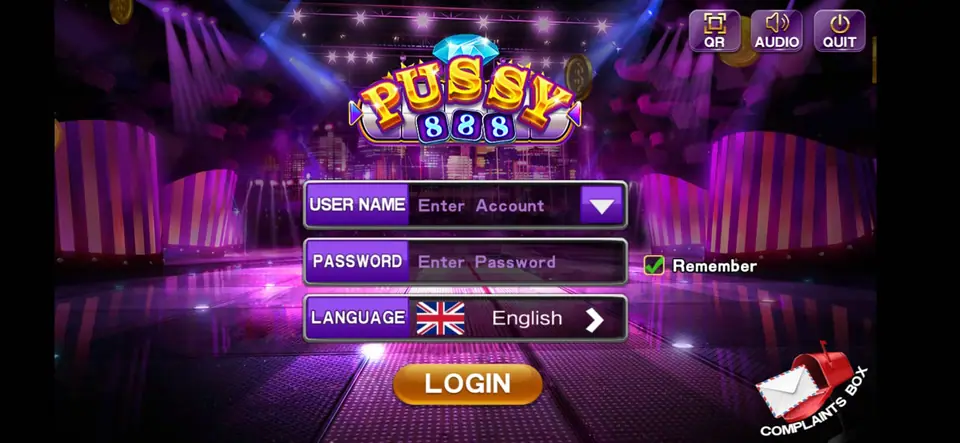
The hero image at the top is what you see on first launch: a USER NAME field with a drop-down arrow, a PASSWORD field, a Remember tick box and a LANGUAGE selector set to English, over a purple stage background. The top right has QR, AUDIO and QUIT buttons, and a small COMPLAINTS BOX icon sits in the bottom corner. There is no register button. The ID and password come from your agent.
A short safety checklist
- Keep Android or iOS updated, and do not root or jailbreak your phone to get an app running.
- If the file is far smaller than your agent says it should be, don't install it.
- The app needs a game username and password only. Never enter bank logins, card numbers or a TAC.
- Top-ups and withdrawals ("cuci") go through the agent, not through anything inside the app.
- Remove the app, and the Trust or unknown-apps permission, when you stop playing.
Other apps follow the same pattern; see the install notes for all platforms.
You must be 18 or older to play. Online gambling is restricted in Malaysia, so know the risks, set a limit before you install anything, and read our responsible gaming notes.
Questions from the field
Can I download Pussy888 from this page?
No. This site hosts no app files and links to none. Ask the agent who gives you your game ID for the current link.
Why did Pussy888 stop opening on my iPhone?
Most likely Apple revoked the enterprise certificate the build was signed with. Delete the app and ask your agent for a fresh link. Your credit is tied to your ID on the server, not to the app.
Does the app need my bank details?
No. It only asks for a game username and password. Top-ups and withdrawals go through the agent. Never type bank logins or a TAC into a game app.
18+ only. Real-money games; online gambling is restricted in Malaysia. Never top up money you need, and stop if it stops being fun. Responsible gaming.